



The iPhone 11 Pro is known for its exceptional camera capabilities, offering a triple-camera system and advanced features that can help you capture stunning photos.
This blog will explore some of the best tips and tricks to make the most of your iPhone 11 Pro’s camera and elevate your photography skills.
Understanding the Camera Features of iPhone 11 Pro:
The iPhone 11 Pro boasts a triple-camera system, including wide, ultra-wide, and telephoto lenses of 12-megapixel each. This setup allows you to capture a variety of perspectives and compositions.
Additionally, features like Night mode, Deep Fusion, and Smart HDR enhance your ability to capture incredible shots in various lighting conditions.
Tips for Capturing Stunning Photos:
Mastering composition techniques: Apply the rule of thirds to create well-balanced compositions and use leading lines to guide the viewer’s eye through the photo.
Utilizing different perspectives and angles: Experiment with shooting from low angles or trying a bird’s-eye view to add visual interest and unique perspectives to your photos.
Harnessing natural lighting: Opt for soft and diffused natural lighting, such as during the golden hour, to enhance the mood and capture captivating images. Avoid harsh lighting conditions that can lead to overexposure or unwanted shadows.
Leveraging advanced features: Use Night mode to capture impressive low-light photos, and take advantage of Deep Fusion for capturing detail-rich images in medium-light conditions.
Creating professional-looking portraits: Take advantage of the Portrait mode, which offers depth effects, studio lighting effects, and the ability to adjust the aperture after capturing the photo.
Tricks to Enhance Your iPhone 11 Pro Photography:
Exploring camera settings: Customize camera settings such as exposure, focus, and white balance to suit your specific shooting conditions and desired results.
Utilizing gridlines and level feature: Enable gridlines in the camera settings to help you compose your shots using the rule of thirds. The level feature ensures that your photos are accurately aligned and straight.
Using exposure and focus lock: Tap and hold on the screen to lock exposure and focus on a particular subject, ensuring consistent exposure and sharpness.
Experiment with camera modes: Explore different modes like Panorama for capturing expansive landscapes or Time-Lapse for creating dynamic videos with time.
Trying third-party camera apps: Expand your creative possibilities by exploring third-party camera apps that offer advanced features, manual controls, and unique effects for your 11 Pro.
Editing and Enhancing Photos on iPhone 11 Pro:
Built-in photo editing tools: Use the editing tools in the Photos app to adjust exposure, colour balance, and sharpness and apply filters to enhance your photos.
Advanced editing features: Dive deeper into editing with features like selective adjustments, curves, and selective filters to fine-tune your images.
Third-party photo editing apps: Explore additional apps like Adobe Lightroom, VSCO, or Snapseed for more advanced editing options, creative effects, and filters.
Saving and sharing your edited photos: Once you have edited them, save them in high-quality resolution and share them with friends and on social media platforms to showcase your creativity and photography skills.
Showcasing iPhone 11 Pro Photography Tips and Tricks:
To demonstrate the effectiveness of these tips and tricks, here are some examples and before/after photos showcasing the potential of the 11 Pro camera.
However, remember that practice and experimentation are essential to truly mastering the art of photography with your iPhone 11 Pro.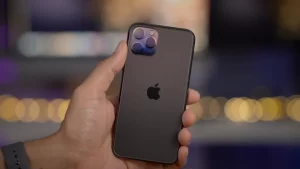
Conclusion:
The Apple iPhone 11 Pro’s camera capabilities offer immense potential for capturing stunning photos. By understanding its features and implementing the tips and tricks discussed in this blog, you can elevate your iPhone photography skills and unlock a new level of creativity.
Whether you’re capturing breathtaking landscapes, creating artistic portraits, or experimenting with various shooting modes, the Apple 11 Pro empowers you to unleash your inner photographer and capture moments in exceptional quality.
So grab your iPhone 11 Pro, apply these tips, and let your creativity shine through your photographs.
FAQs:
Q: Can I use the iPhone 11 Pro camera effectively if I’m not a professional photographer?
A: Absolutely. The iPhone 11 Pro camera is designed to be user-friendly and intuitive, making it accessible to photographers of all skill levels.
With features like automatic scene detection, Smart HDR, and enhanced Night mode, the camera does much of the work, allowing you to capture stunning photos with minimal effort.
Also, this blog’s tips and tricks will help you understand and utilize the camera’s features to their fullest potential, regardless of your photography background.
Q: Are the tips and tricks mentioned in this blog applicable to other iPhone models?
A: While this blog focuses explicitly on the iPhone 11 Pro camera, many of the tips and tricks can also be applied to other recent iPhone models. Apple has introduced similar camera features and functionalities across multiple models, so some of the tips mentioned in this blog apply to your iPhone model, even if it’s not the iPhone 11 Pro.
However, remember that features like Deep Fusion and the triple-camera system may be exclusive to the iPhone 11 Pro or newer models.
Q: Do I need additional accessories to enhance my iPhone 11 Pro photography?
A: The iPhone 11 Pro camera is powerful and can achieve remarkable results without additional accessories.
However, you may want to explore further possibilities and take your photography to the next level. In that case, you may consider investing in optional accessories such as a tripod for stability, external lenses for different perspectives, or a remote shutter for hands-free shooting.
These accessories can provide additional versatility and creative opportunities, but they are unnecessary to capture stunning photos with the iPhone 11 Pro camera.


